





Failures and suspension
Contents
When a materialized view fails to refresh, its stored table keeps the last successful result. Queries, insights, and Endpoints that read the view keep working, but the data gets older until a run succeeds again.
One error is the exception. If a run fails because the query reads a table that no longer exists (Unknown table), for example after an upstream view was renamed or deleted, PostHog stops materializing the view. Queries then run the view's SQL directly, which fails until the query is fixed. Fix the query, then materialize the view again from its Materialization tab.
This page covers what happens after a failure, when PostHog stops retrying, how you find out, and how to get the view running again. For specific errors, see troubleshooting.
What happens when a run fails
A failed run doesn't stop the schedule. The next scheduled run tries again, so a failure caused by a short-lived problem usually clears on its own.
Views that read the failed view don't run in that cycle, because they would read stale data. Their runs show as Skipped, and the error names the upstream view that failed. When the upstream view succeeds, they run again on their next cycle.
To see the error, open the view from the Models page and go to its Materialization tab. Run history lists every run with its status, the number of rows it wrote and the error, if any.


Suspension after repeated failures
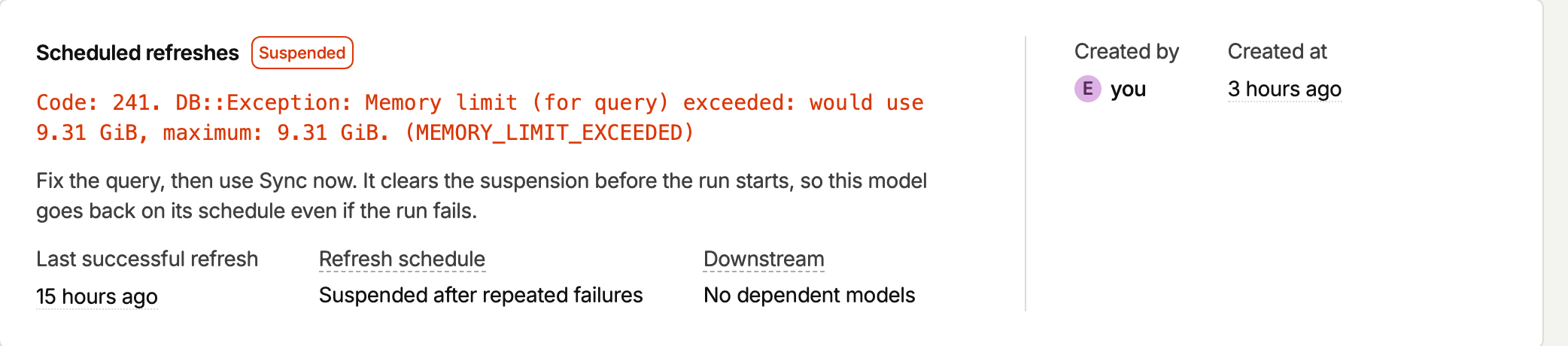
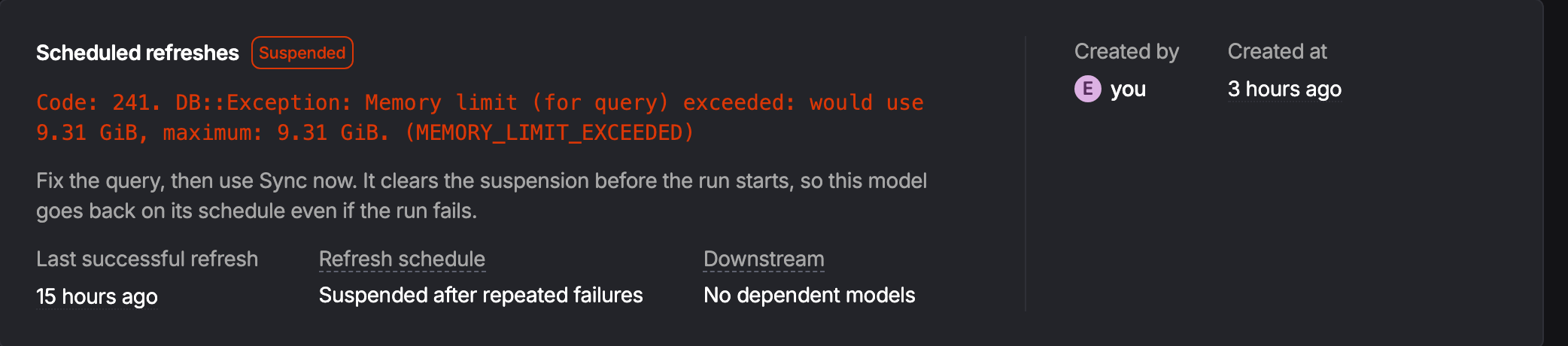
If a view fails 5 times in a row, PostHog suspends it. A suspended view stops running on its schedule, so PostHog doesn't keep retrying a query that keeps failing.
While a view is suspended:
- Its table keeps the last successful result and still answers queries.
- Views that read it are skipped. Their error says the upstream view was suspended after repeated failures.
- It doesn't recover on its own. Scheduled runs skip it until you resume it.
Some failures don't count toward the 5. Skipped runs never count, because the view didn't run. Failures caused by problems on PostHog's side, such as a database connection that drops mid-run, also don't count. They don't suspend a view that would otherwise succeed.
Suspended and paused are different
| State | Who stops it | How to start it again |
|---|---|---|
| Suspended | PostHog, after 5 failures in a row | Fix the query, then click Resume schedule |
| Paused | You, with Pause refreshes | Pick a cadence in Refresh every |
A paused view has no cadence, so you have to pick one before you can resume it.
Getting a suspended view running again
- Open the view and read the error on its latest failed run.
- Fix the cause. That's usually the view's query, or a source table it reads. Troubleshooting covers the common causes.
- Start it again in one of these ways:
- Click Resume schedule on the view's Materialization tab. The view runs again on its next scheduled cycle.
- Click Sync now to run it right away. This also resumes the schedule.
- Save a change to the view's query. A changed query resumes the schedule automatically.
Resuming starts a fresh count. Failures from before you resumed no longer count toward the next suspension. If you resume without fixing anything, the view fails again and is suspended after 5 more failures.
You can also resume a view through the API with the saved query resume action, or ask an AI agent connected to the PostHog MCP server to resume it. Both work like Resume schedule: the view runs on its next scheduled cycle, not right away.
Finding failing views
The Overview tab of the Models page lists Models needing attention. Each row has a problem:
- Suspended. Scheduled runs have stopped after repeated failures. The view stays behind until you resume it.
- Failed. The last scheduled run failed. The next run tries again.
Suspended views are listed first, because nothing retries them. The Models tab also tags suspended views as Suspended.


To find views by their run status, type status:failed, status:running or status:completed in the search field of the Models tab or the SQL editor sidebar.
Notifications
PostHog tells you about failures in two ways.
In-app notifications
PostHog sends an in-app notification when a view starts failing and when it's suspended. A scheduled run doesn't notify again while the same view keeps failing. A run you start yourself, such as Sync now, notifies on every failure, so you can tell whether your fix worked. That notification goes only to you.
Other notifications go to every project member who can open that view, unless they've turned it off. To turn it off, go to your in-app notification settings and switch off Materialized view failures for that project. The setting is per project, so muting one project doesn't mute the others.
When a scheduled run fails several views, PostHog sends one notification that lists them together. It links to the view, or to the Models page when several failed.
Failure emails are off by default. To turn them on, go to your notification settings and turn on Materialized view sync failures. Then choose how you get them:
- Daily digest. One email a day summarizing failing views. This is on by default once you turn on failure emails.
- Right away. An email when a view starts failing, and another if it gets suspended. While it keeps failing, only the daily digest lists it.
You only get emails about views you can access.
The materialized view failures health check also raises an issue for failing views once a day.